
NEXT-GENERATION CAD WORKSPACE
Engineering without boundaries.
Powerful CAD. Exceptional speed. Complete control.
Parametric modeling, version control, and connected product data — all in one workspace.
Early access by invite. We store only your email.
Tick two versions to compare them
HIGH PERFORMANCE
Engineering at the speed of thought.
Responsive modeling, smooth navigation, and a workflow designed to keep up with your ideas.
- Startup target
- <1s
- Rebuild target, 50-feature part
- <500ms
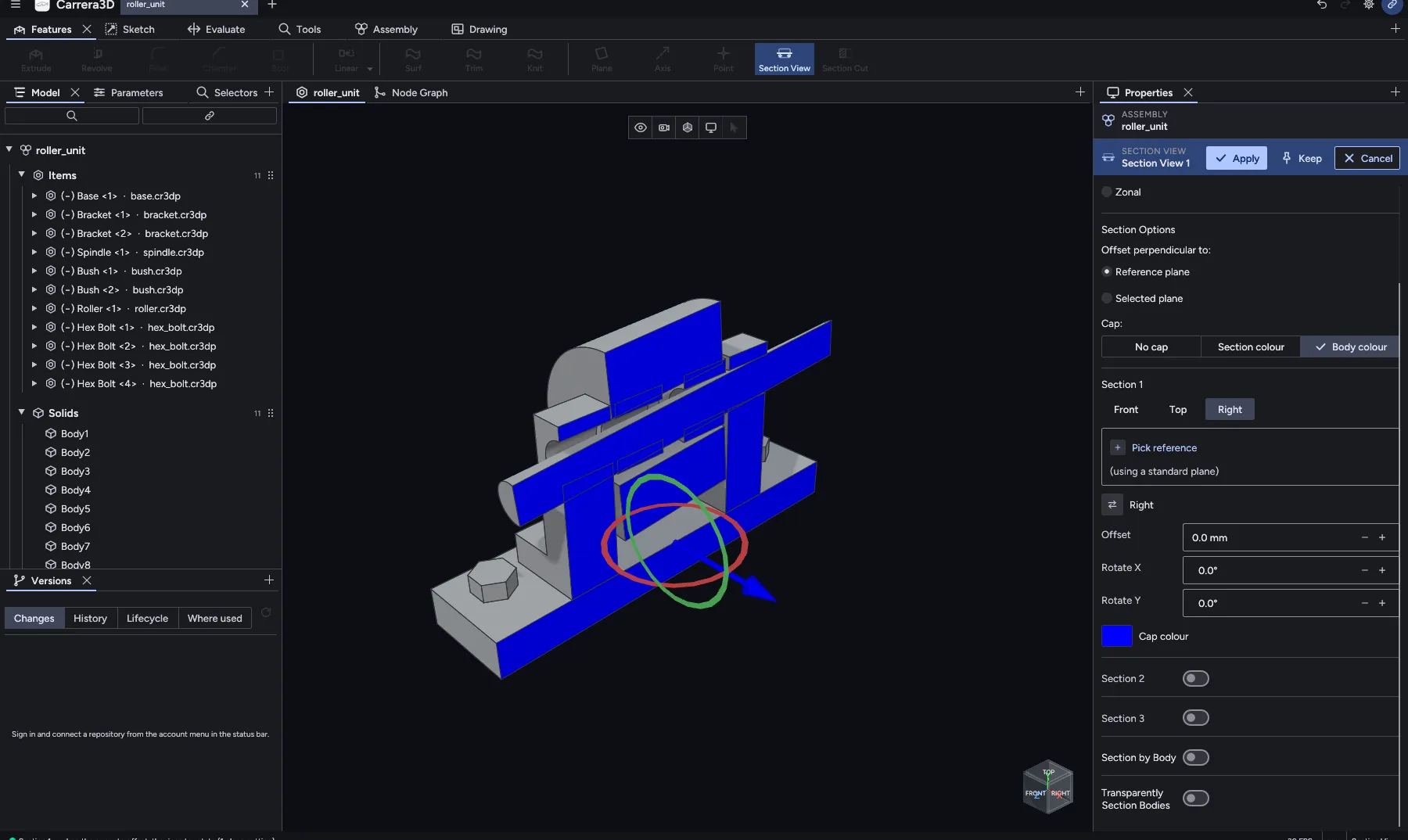
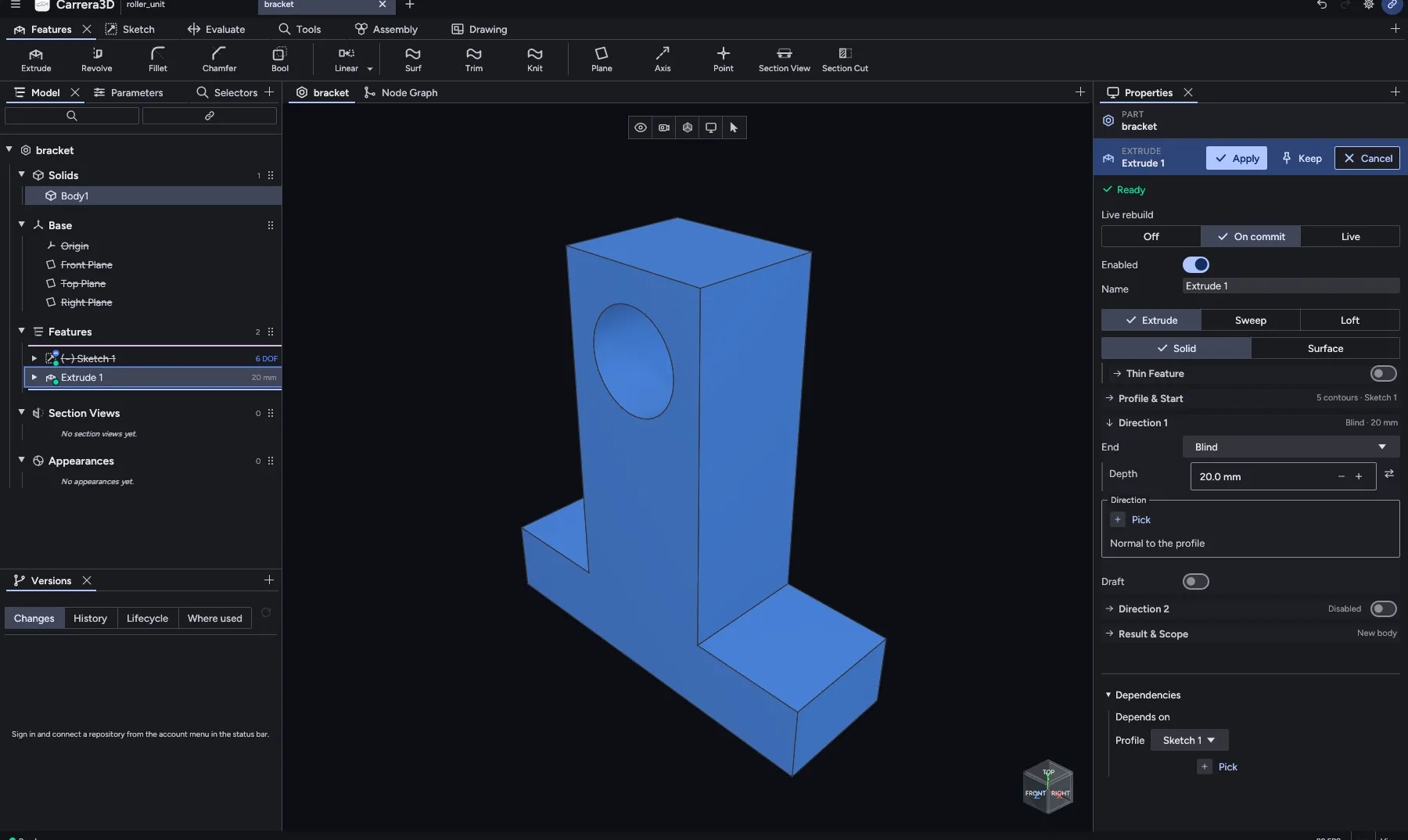
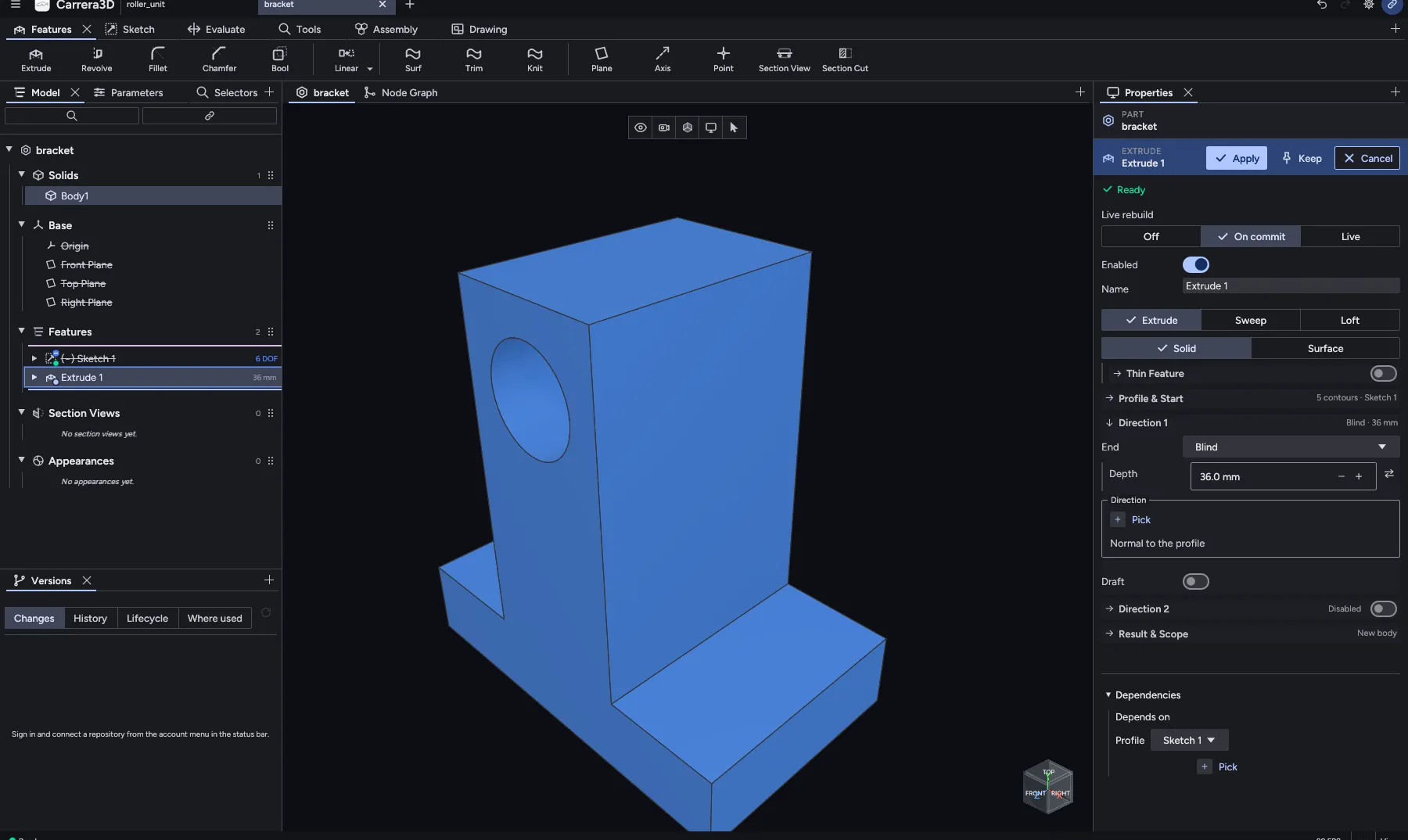
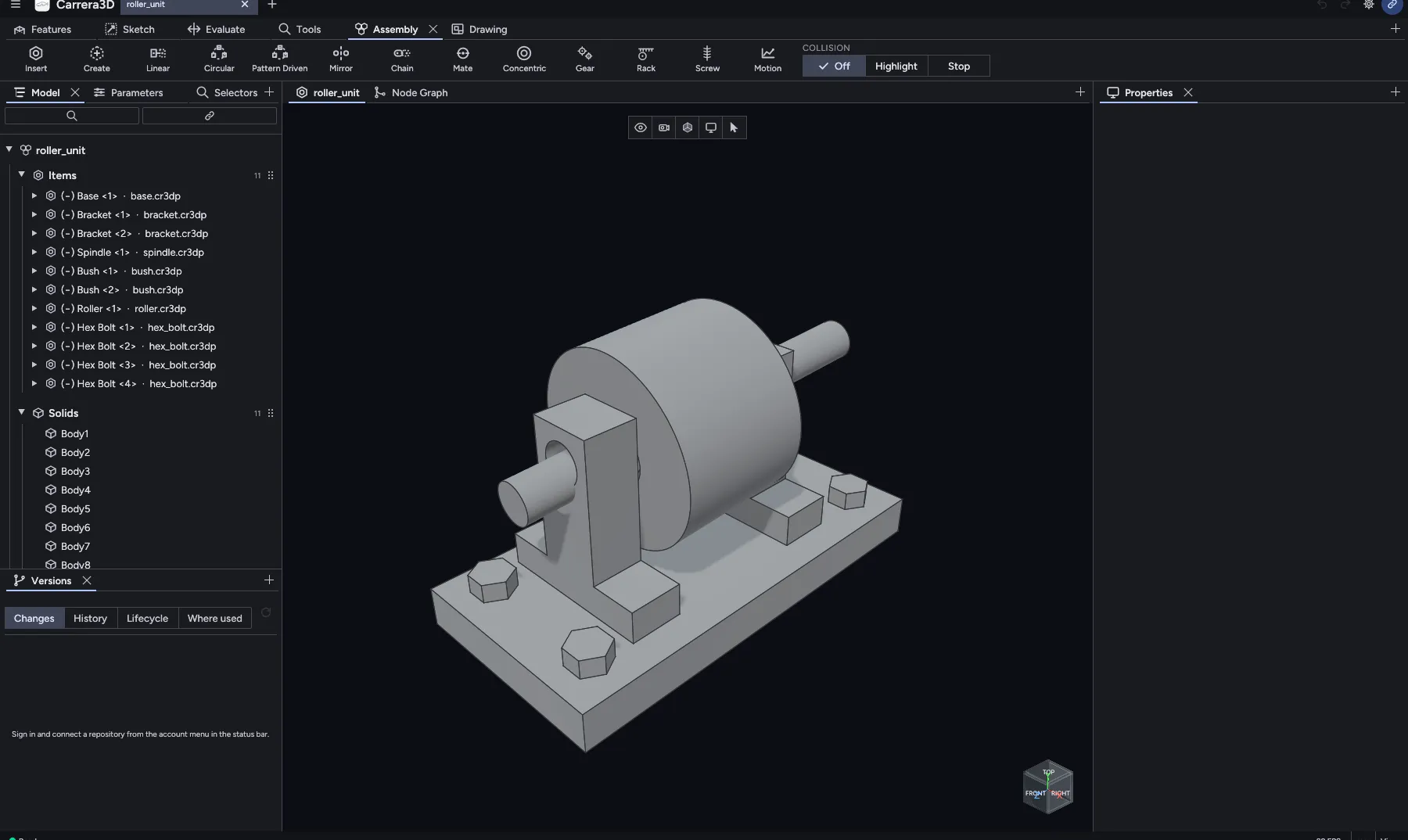
Screenshots of Carrera3D. A screen recording at real speed replaces them before launch.
One environment. Complete control.
Everything you need to design, evolve, and manage a mechanical product — connected.
FLEXIBLE MODELING
Two ways to model. One design.
Build with familiar parametric features today. Procedural node graphs are coming to the same feature tree.
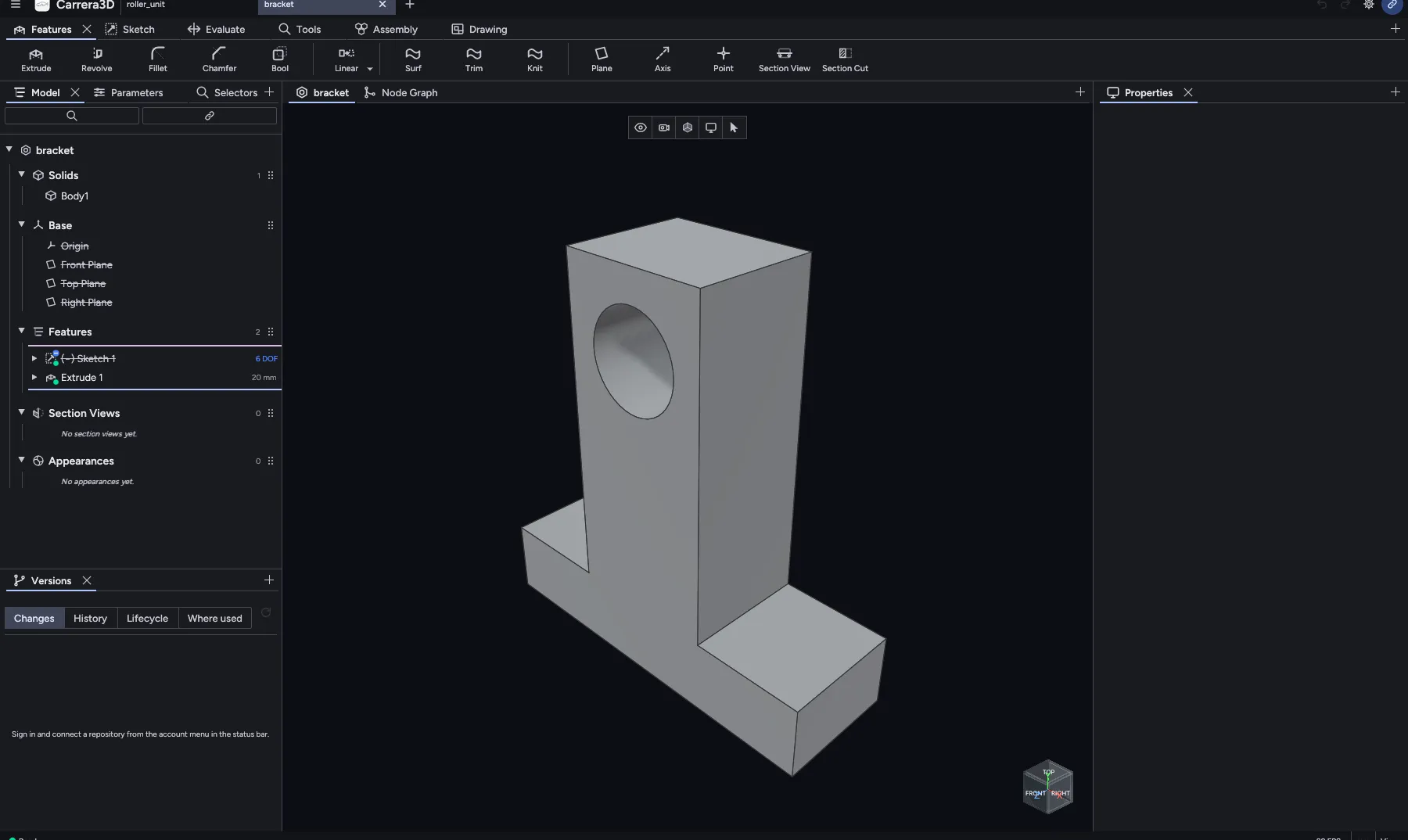
Features
- Sketch 1bore Ø 16
- Extrude 136 mm
- Node Graph 1holes ×2
Parametric is a screenshot of the app. The node graph editor is in development; Procedural and Combined show where it is going.
VERSION CONTROL
Every change has a history.
Tick two versions of a part, see the feature and parameter changes in a table, and review the geometry side by side in 3D.
Tick two versions to compare them
Tick any two versions. The panels follow the app's Versions tab and its side-by-side 3D diff; the versions are sample data.
CONNECTED PRODUCT DATA
Your product data. Connected.
CarreraVault links geometry, Items, structures, revisions, and relationships — and Carrera3D syncs with it from inside the app.
STRUCTURE
ASSEMBLY
Roller unit
| Number | ASM-2001 |
|---|---|
| Revision | Rev B · V8 |
| State | In review |
| File | roller_unit.cr3da |
- In work
- In review
- Released
BOM
| Component | Number | Qty |
|---|---|---|
| Base | PRT-1010 | 1 |
| Bracket | PRT-1042 | 2 |
| Spindle | PRT-1017 | 1 |
| Bush | PRT-1023 | 2 |
| Roller | PRT-1030 | 1 |
| Hex bolt M8 | STD-0008 | 4 |
PART
Base
| Number | PRT-1010 |
|---|---|
| Revision | Rev A · V3 |
| State | Released |
| File | base.cr3dp |
| Where used | Roller unit |
- In work
- In review
- Released
BOM
Used 1× in Roller unit, from base.cr3dp. Open the assembly to see its BOM.
PART
Bracket
| Number | PRT-1042 |
|---|---|
| Revision | Rev A · V4 |
| State | In work |
| File | bracket.cr3dp |
| Where used | Roller unit |
- In work
- In review
- Released
BOM
Used 2× in Roller unit, from bracket.cr3dp. Open the assembly to see its BOM.
PART
Spindle
| Number | PRT-1017 |
|---|---|
| Revision | Rev B · V5 |
| State | Released |
| File | spindle.cr3dp |
| Where used | Roller unit |
- In work
- In review
- Released
BOM
Used 1× in Roller unit, from spindle.cr3dp. Open the assembly to see its BOM.
PART
Bush
| Number | PRT-1023 |
|---|---|
| Revision | Rev A · V2 |
| State | Released |
| File | bush.cr3dp |
| Where used | Roller unit |
- In work
- In review
- Released
BOM
Used 2× in Roller unit, from bush.cr3dp. Open the assembly to see its BOM.
PART
Roller
| Number | PRT-1030 |
|---|---|
| Revision | Rev A · V3 |
| State | In review |
| File | roller.cr3dp |
| Where used | Roller unit |
- In work
- In review
- Released
BOM
Used 1× in Roller unit, from roller.cr3dp. Open the assembly to see its BOM.
PART
Hex bolt M8
| Number | STD-0008 |
|---|---|
| Revision | Rev A · V1 |
| State | Released |
| File | hex_bolt.cr3dp |
| Where used | Base, Bracket |
- In work
- In review
- Released
BOM
Used 4× in Roller unit, from hex_bolt.cr3dp. Open the assembly to see its BOM.
Recreated item view with sample numbers and states. In CarreraVault the lifecycle states come from the server for each Item Type.
From first sketch to release.
Keep design decisions, geometry, and product data connected across the workflow.
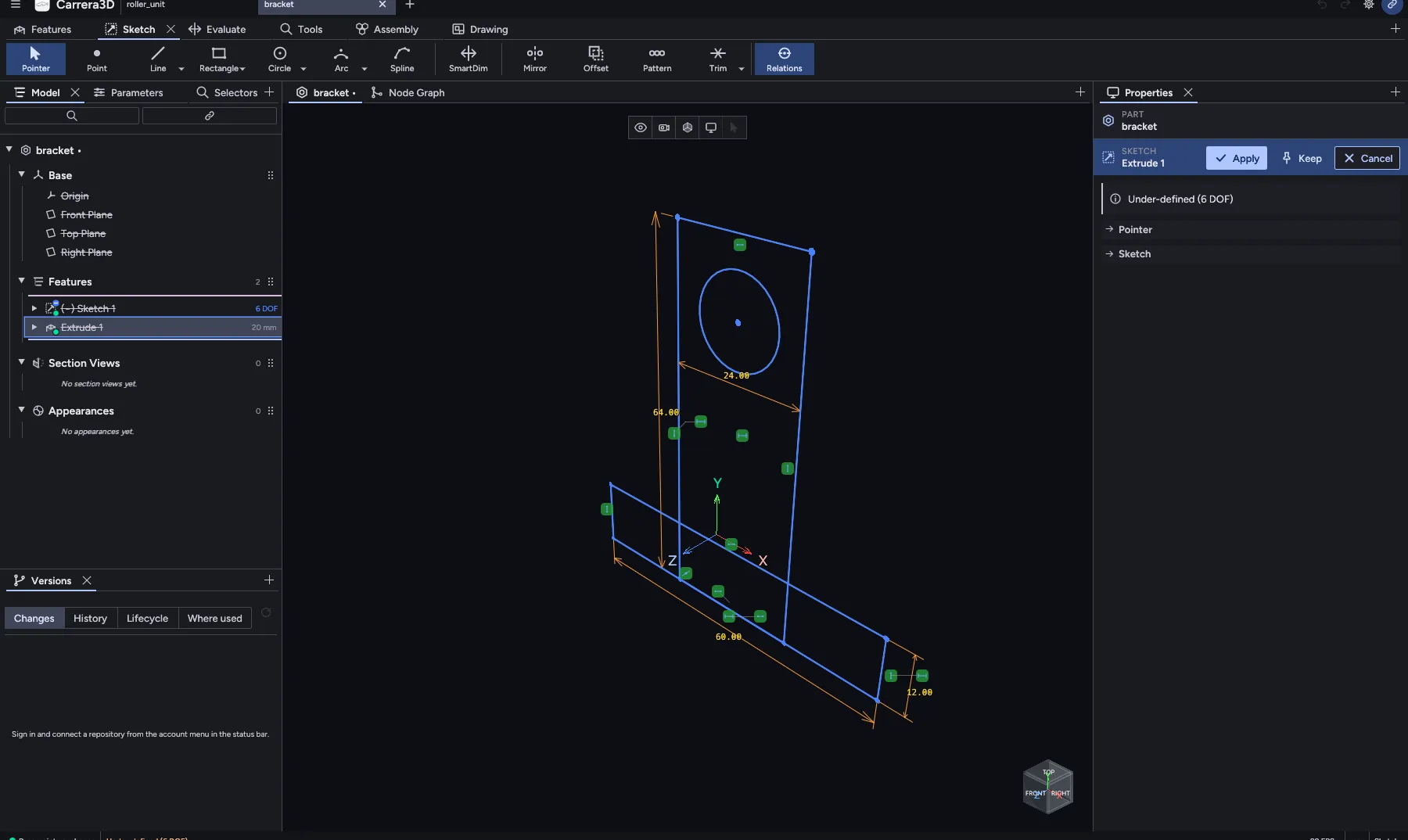
Profile first.
Draw the profile, then add dimensions and relations. The Levenberg–Marquardt solver keeps it exact and shows the degrees of freedom left.
Features, in order.
Extrude, revolve, fillet, chamfer and booleans go into the feature tree. Edit any step and everything after it rebuilds.
Parts, placed.
Insert parts as linked components, mate them, and check for collisions.
Every save, kept.
Save a version with a message. Tick two versions to see what changed.
Tick two versions to compare them
Ready for hand-off.
Move the part through its lifecycle. Release creates a revision in CarreraVault.
Workflow
The states come from the server for this Item Type. Nothing is fixed in the app.
- In work
- In review
- Released
Move this part
Choose a state
Release is not a state move. It creates a revision and is done in the web app.
Recreated, sample dataPowerful tools. Focused workflow.
The engineering capabilities you use every day, in a workspace designed to stay out of your way.
Sketch & Constraints
Dimensions and 2D relations, solved by a Levenberg–Marquardt solver.
Solid & Surface Modeling
Extrude, revolve, fillet, chamfer, booleans, plus Surf, Trim, and Knit.
- In development
Node Graph
Procedural modeling as a feature in the tree.
Dependencies & Impact
See what a feature depends on, and what a change affects across the vault.
Measure & Section
Measure geometry and cut planar or zonal section views.
STEP & STL Export
STEP for other CAD systems, binary STL for printing.
Assemblies & BOM
Linked components, mates, collision checks, and a BOM from the parts.
Offline-first Workspace
Model without a connection. Saved versions upload when you reconnect.
Built for people who build products.
A focused workspace for individual engineers and connected teams.
Mechanical Engineers
Create precise geometry and iterate without losing focus.
Engineering Teams
Understand ownership, structure, dependencies, and change history.
Automation-minded Engineers
Drive the whole app headless through the plugin API, for scripted and batch work.
WHAT'S NEXT
Help shape the future of CAD.
Follow development, see what is coming, and get an invite when early access opens.
- Built
Foundation
- Parametric part and assembly modeling
- CarreraVault versions, review, and release
- Waitlist open
Beta
- Early users and feedback
- Stabilization
- Planned
Expansion
- Node graph editor
- Broader capabilities and integrations
The next generation of engineering starts here.
Be among the first to explore Carrera3D. Join the waitlist and we will email you an invite.
We store only your email, use it only to invite you, and send nothing else.
Built by engineers, for engineers.